
Use case
Put Yourself in a TikTok Trend with AI
Twistavo is an AI video studio for character swap: replace a person in a real video from 1 to 4 photos; plans from $3.99/month. The trend switch of the Twistavo Influencer Studio puts your own AI character into a trend clip: pick a trend from the template library, cast the character you saved, and it takes the place of the person in the clip with the same moves and timing. To appear with your own face instead, use Scene Recast with a photo of yourself on a clip you filmed or are allowed to use. A trend switch starts from 104 credits for a 4-second clip in 480p; longer clips and higher resolutions cost more, and the exact price is shown before you confirm. Only 1 image is free after signup; videos need a paid plan.
Open Influencer StudioUpdated
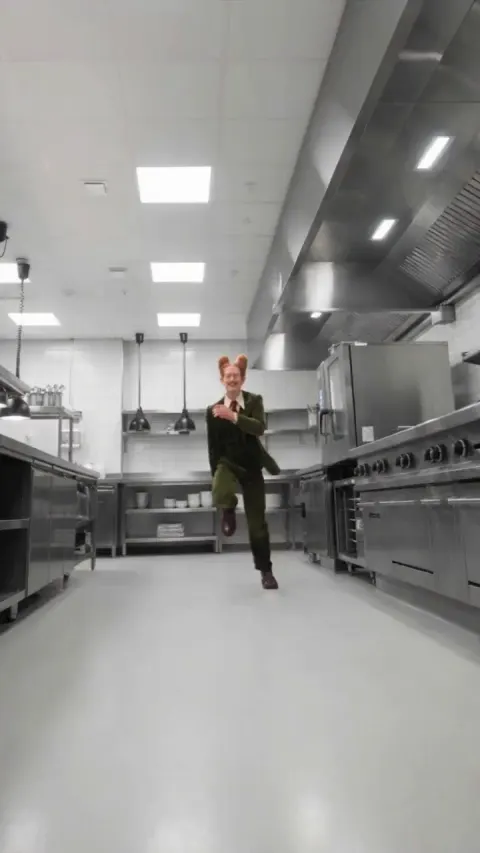
How it works
- Open the template library and pick a trend clip that fits your character.
- Select Remix to open the trend in the Influencer Studio, then cast one of your saved characters, an official character or a published community character in place of each person.
- Choose the resolution; the studio shows the credit price of the clip next to your balance before anything starts.
- Confirm, and the finished video is saved in your private library, ready to download and post with an AI label.
Video tutorial
What it is for
Short-form trends spread because everyone performs the same moves to the same sound. A trend switch lets your recurring character join in without filming anything: the dance, the gesture and the camera of the original clip stay, and only the performer changes. Every trend clip in the template library was cleared for remixing, so you start from footage that can be reused.
Limits to know
- Clip length: 4 to 15 seconds, and up to 12 seconds in 1080p.
- Cast: up to 8 characters in one clip, one per person on screen.
- Characters: fictional adults saved in the Influencer Studio; real faces go through Scene Recast with consent.
- Preview: a cheaper 480p preview can be made before the final render.
Price
A trend switch starts from 104 credits for a 4-second clip in 480p; longer clips and higher resolutions cost more, and the exact price is shown before you confirm.
Why a saved character works better than a new prompt
A trend is only fun when viewers recognise who is doing it. A character saved in the Influencer Studio keeps the same face, hair and outfit from one remix to the next, so your audience sees the same personality across every trend you join. Writing a new description each time would drift, while a saved character carries its look for you.
Picking a trend clip that switches well
Clear, front-facing performers with steady light give the cleanest switch. Clips where the person turns fully away, is hidden behind objects or moves very fast are harder. Start with a short trend; once you like the look, try longer ones or a higher resolution.
Posting the result
Download the video from your library and add the trending sound in the platform's own editor, so the post joins the trend's audio page. Label the clip as AI-generated where the platform asks for it, and never present the character as a real person.
Questions
Can I put my real face in a trend?
Not in the Influencer Studio, which casts fictional characters only. Scene Recast accepts a photo of you on a clip you filmed or are allowed to use, as long as everyone recognisable in it agreed.
Which trends can I use?
Any clip of the template library, which only lists videos cleared for remixing, or a clip you own and upload with the rights confirmation.
How many people can the trend clip contain?
Up to 8. Cast one character for each person you want to switch.
Can I check the look before paying for a full render?
Yes. The studio offers a cheaper 480p preview of the clip, so you can check the casting before the final resolution.
What if the switch fails?
When the provider confirms a failure, the reserved credits are returned automatically, as described in the Terms.
Is it free?
1 free image after signup, no card (GPT Image 2.6, 1k). Videos need a plan. Plans from $3.99/month. Credits never expire and every generation is quoted before it starts.
Related pages
- Make an AI Influencer With a Consistent Character
- AI Body Swap Video
- AI Dance Video From a Photo
- Influencer Studio
- AI Character Swap Tools Compared
- Recurring Character Video Tools Compared
- 12 AI Face Swap Video Tools Compared
- Free AI Video Face Swap? What You Really Get
- Image to Video AI
- Text to Video AI Generator